Are you ready to unlock the full potential of your Fire TV? Setting up Mint IPTV on your Amazon Firestick is the best way to access thousands of live channels, movies, and series. Since our premium app isn't listed in the standard Amazon App Store, we will use a safe and standard method called "Sideloading" using the official Downloader app.
Don't worry—this process is completely safe, does not void your warranty, and takes less than 5 minutes. Follow the detailed steps below carefully.
Step 1: Get the Downloader App
The "Downloader" app is the bridge that allows us to install third-party applications. If you already have it, you can skip to Step 2.
-
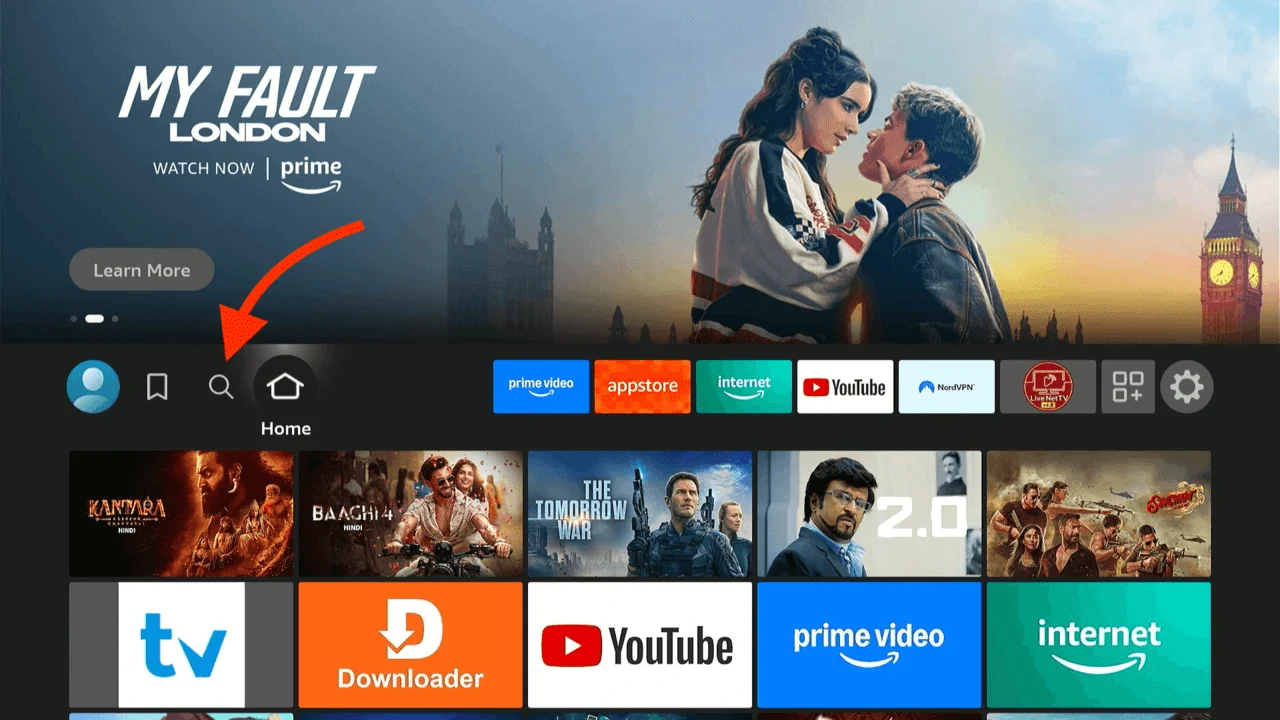
Start by going to your Firestick Home Screen.
-
Navigate to the left to find the Find / Search icon (magnifying glass).
-
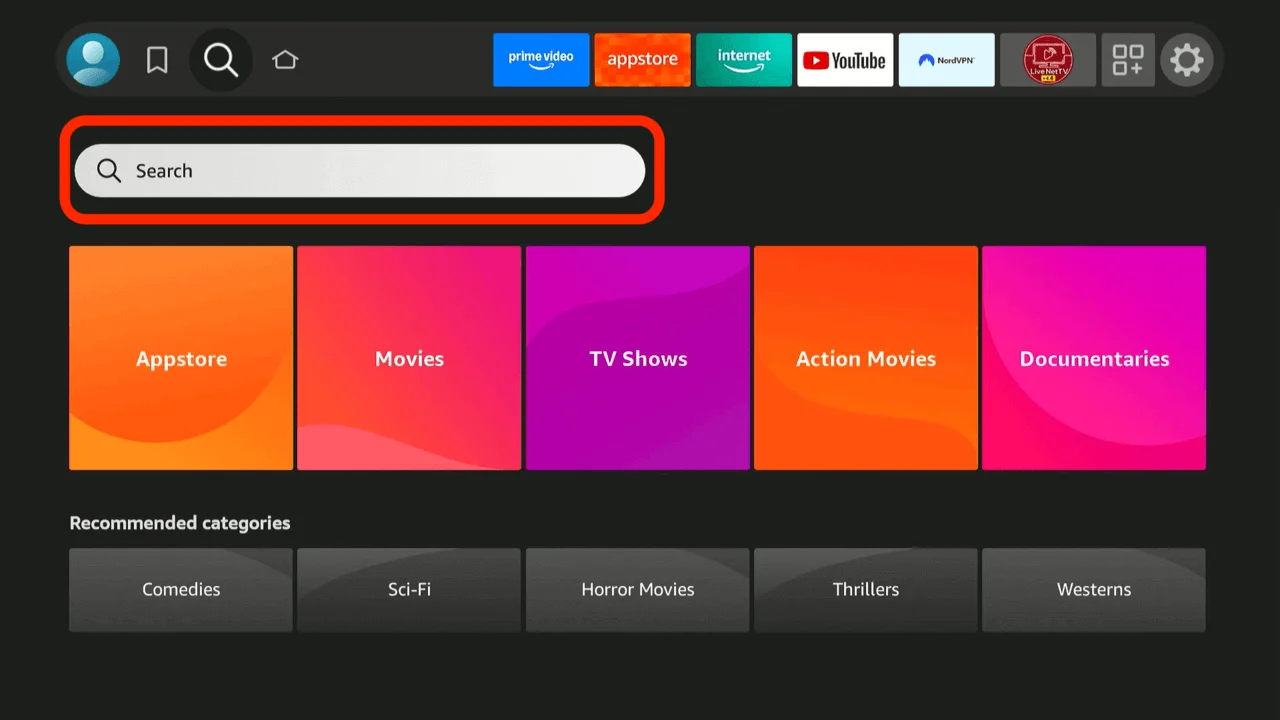
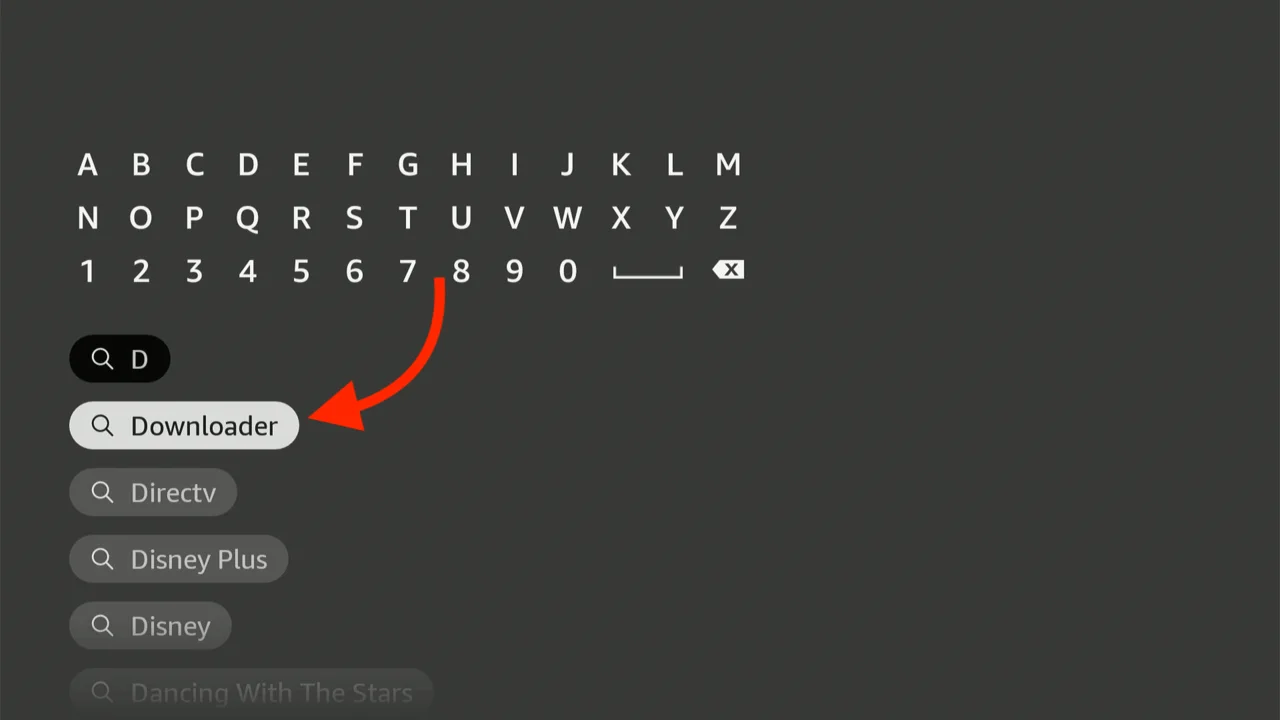
Type "Downloader" in the search bar using the on-screen keyboard.
-
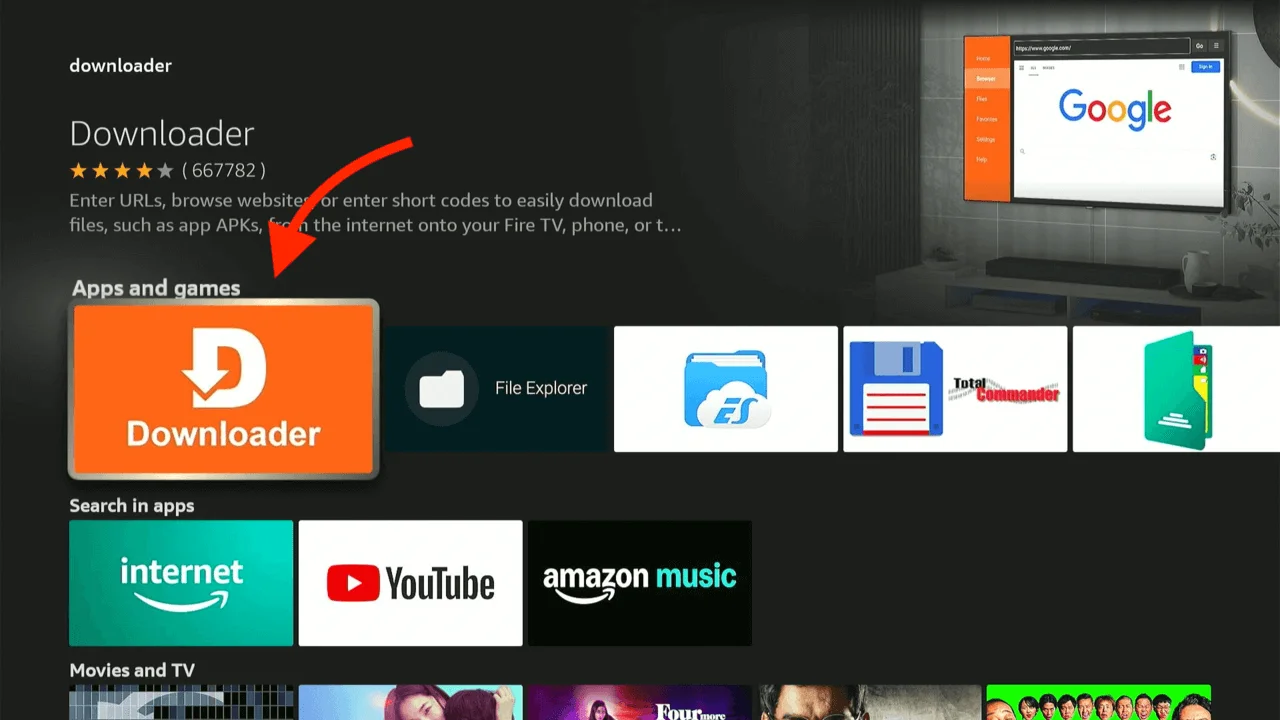
Select the orange "Downloader" icon from the search results under "Apps & Games".
-
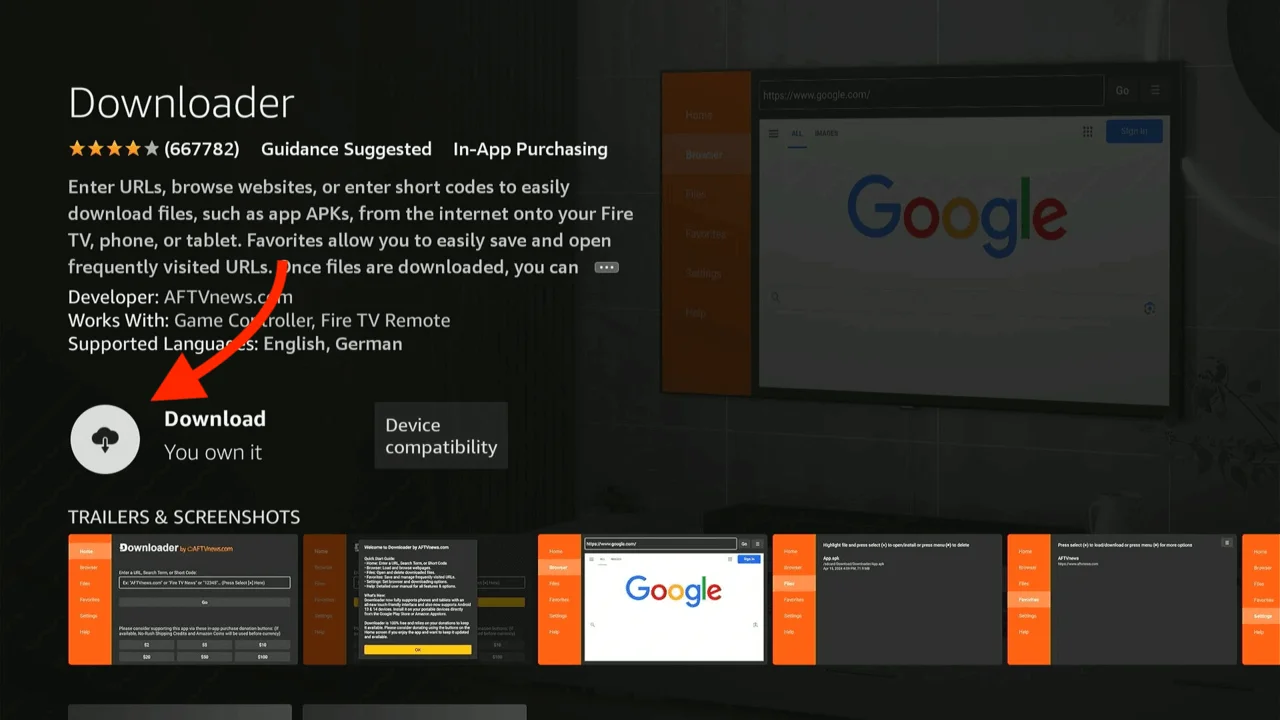
Click the Get or Download button to install the app. It will install automatically.
Step 2: Enable Developer Options (Crucial Step)
By default, Firestick security blocks the installation of apps from outside the Amazon Store. We need to grant permission to the Downloader app.
-
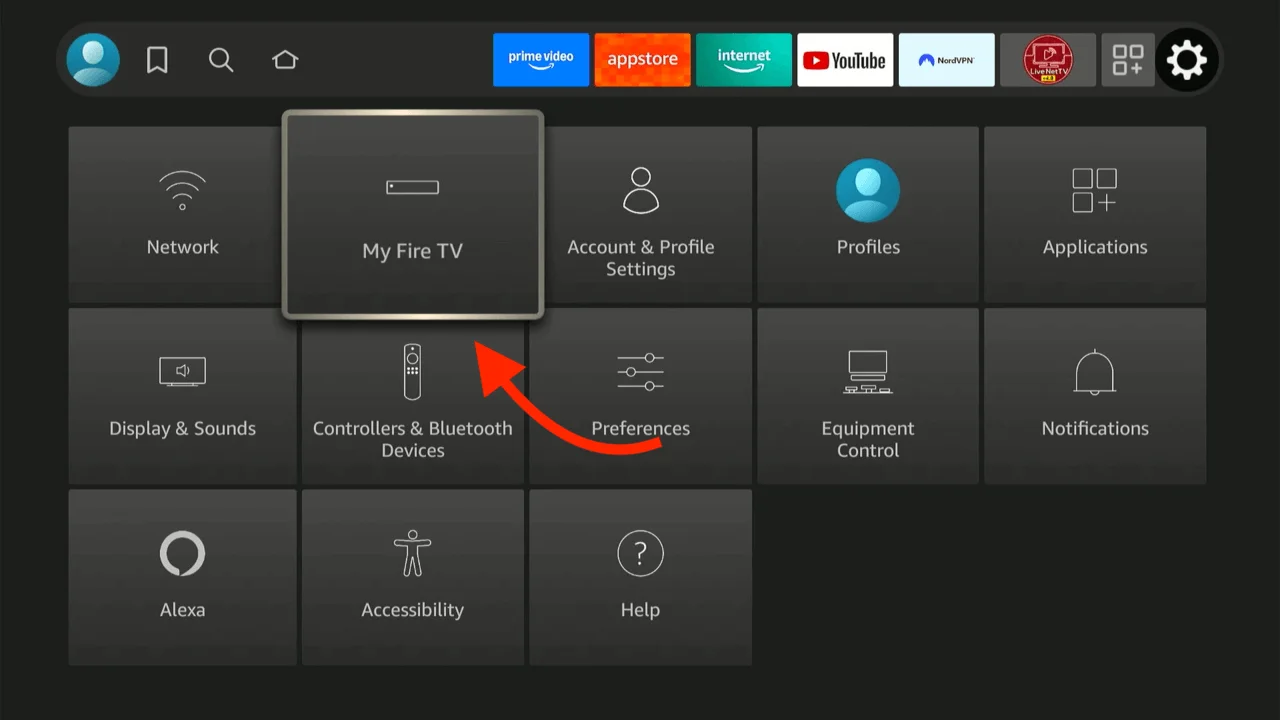
Press the Home button on your remote to return to the main screen, then go to the Settings gear icon on the far right. Scroll down and select the My Fire TV tile.
-
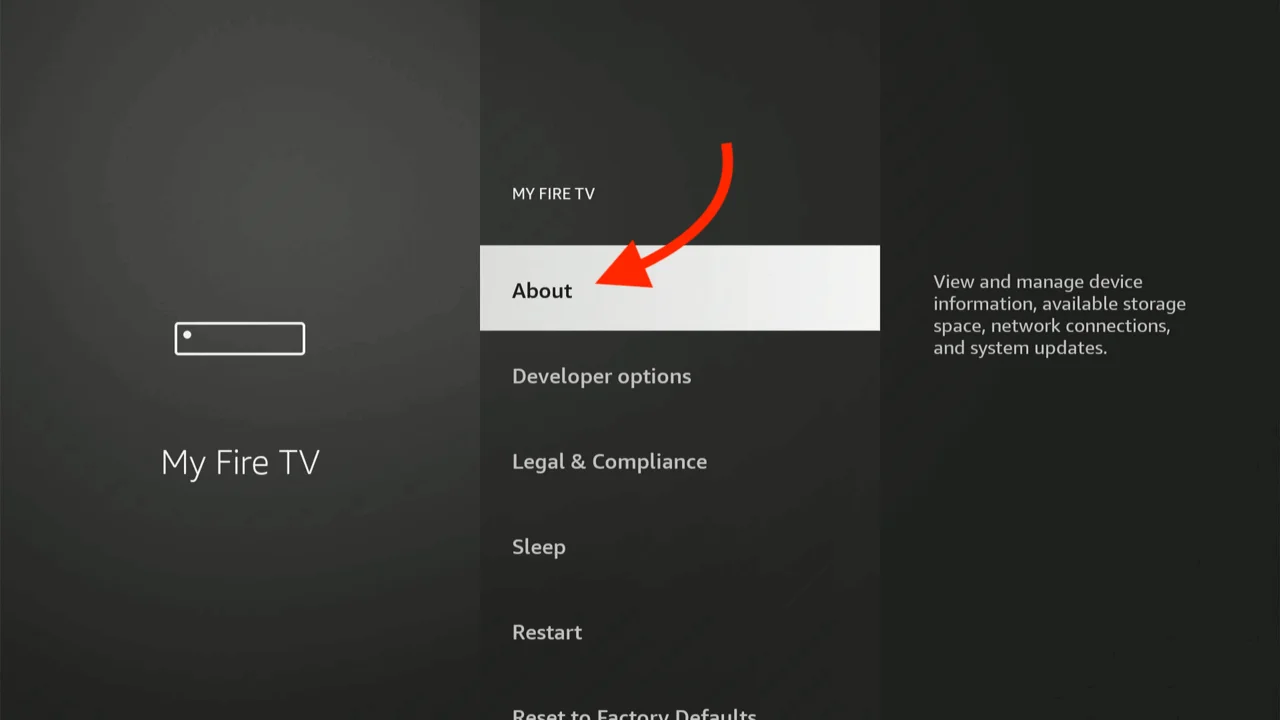
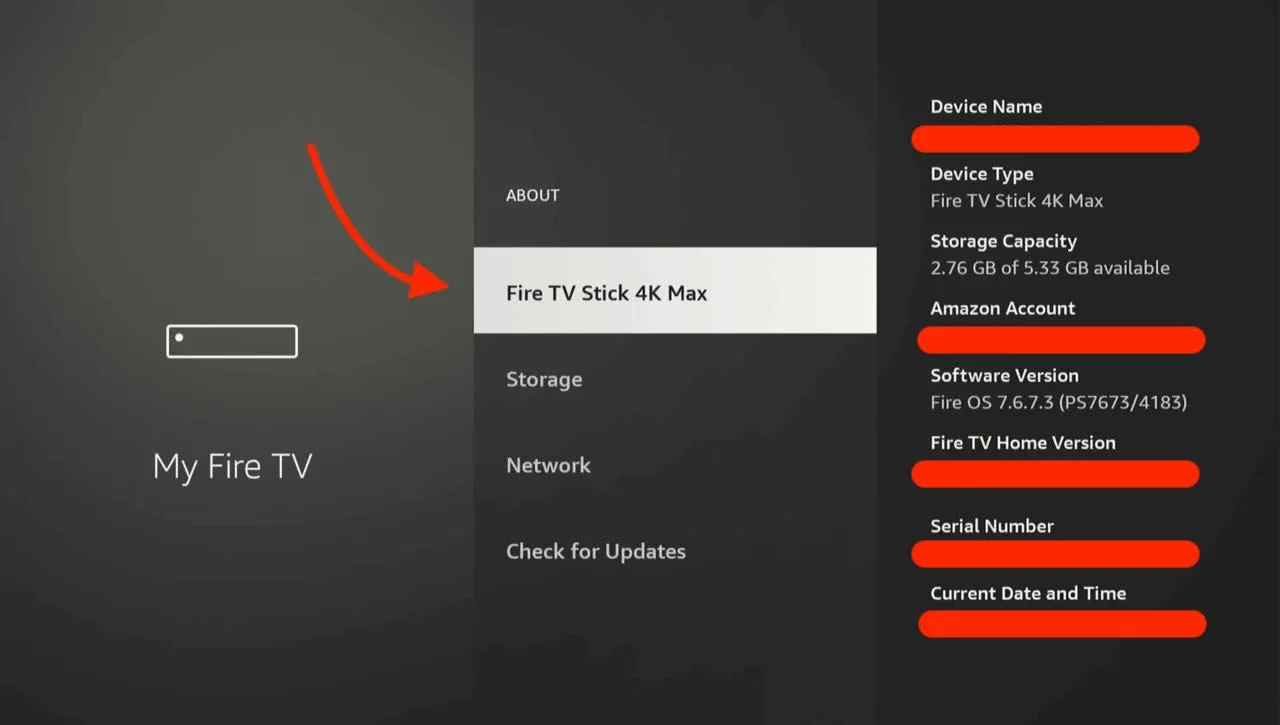
Important: Look for "Developer Options". If you do NOT see it, click on About.
-
Inside "About", highlight the name "Fire TV Stick" (or Fire TV Cube) and click the Center/OK button on your remote 7 times quickly.
-
You will see a notification at the bottom: "No need, you are already a developer." Once you see this, press the Back button on your remote once.
-
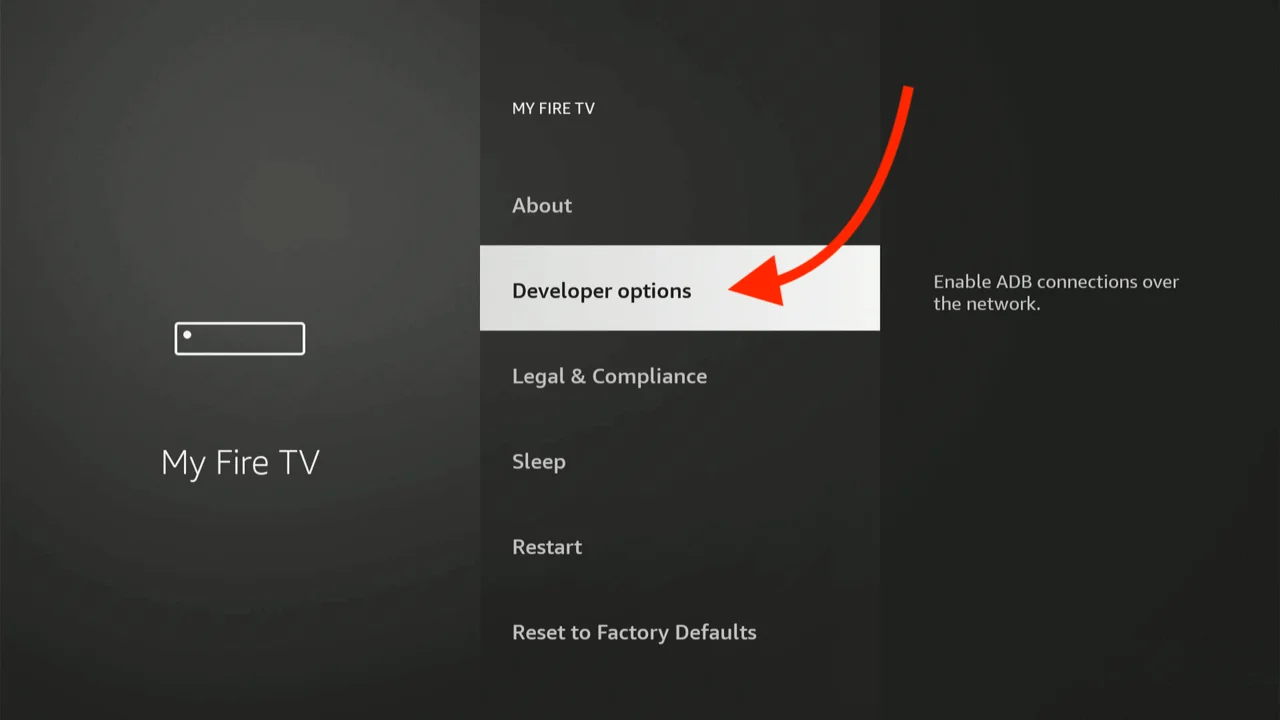
Now you will see a new menu item called Developer Options. Click it.
-
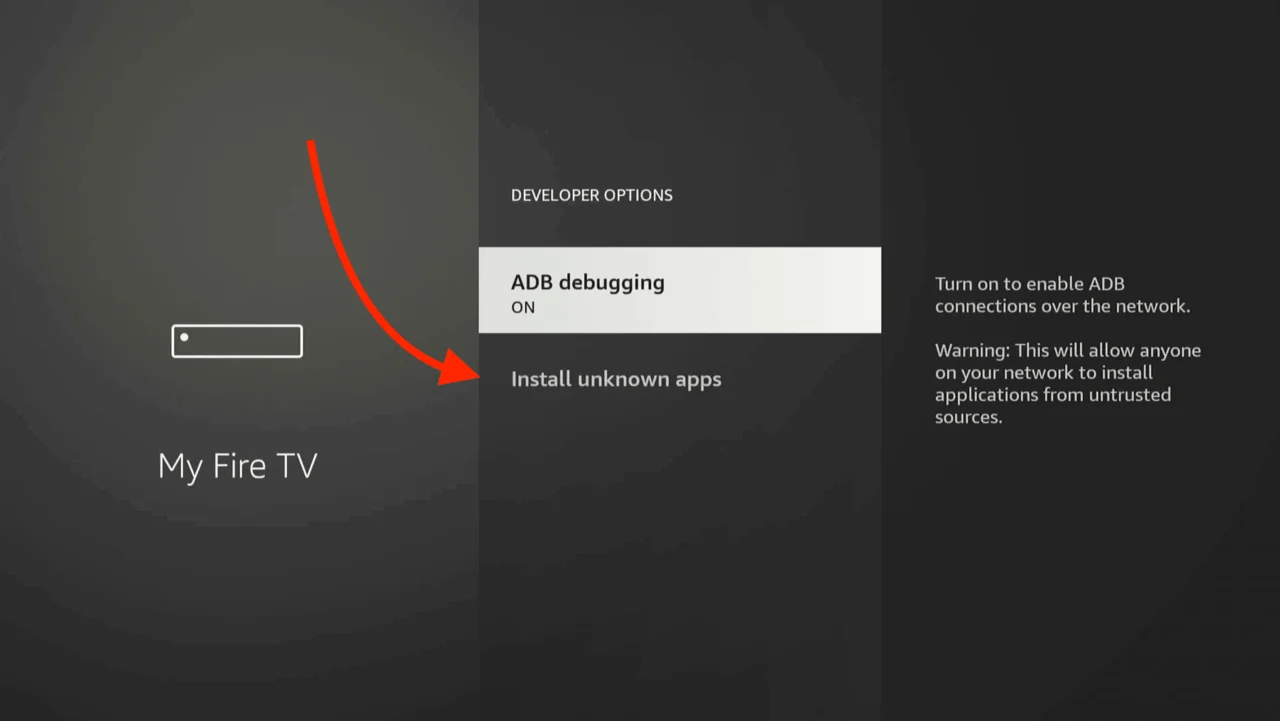
Select Install Unknown Apps (On older devices this might be called "Apps from Unknown Sources").
-
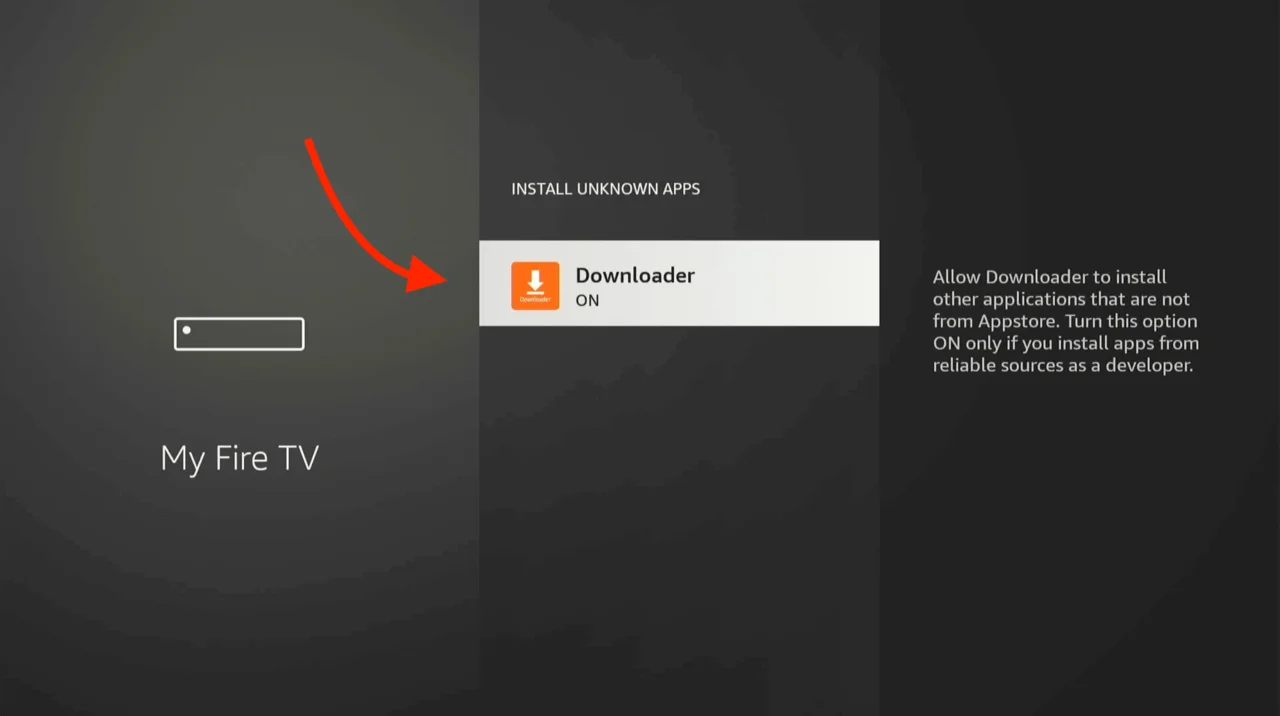
Find the Downloader app in the list and click it to turn it ON.
Step 3: Download the Mint IPTV App
Now that permissions are set, we will use a specific shortcode to download the optimized version of IPTV Smarters Pro (or Mint Player).
-
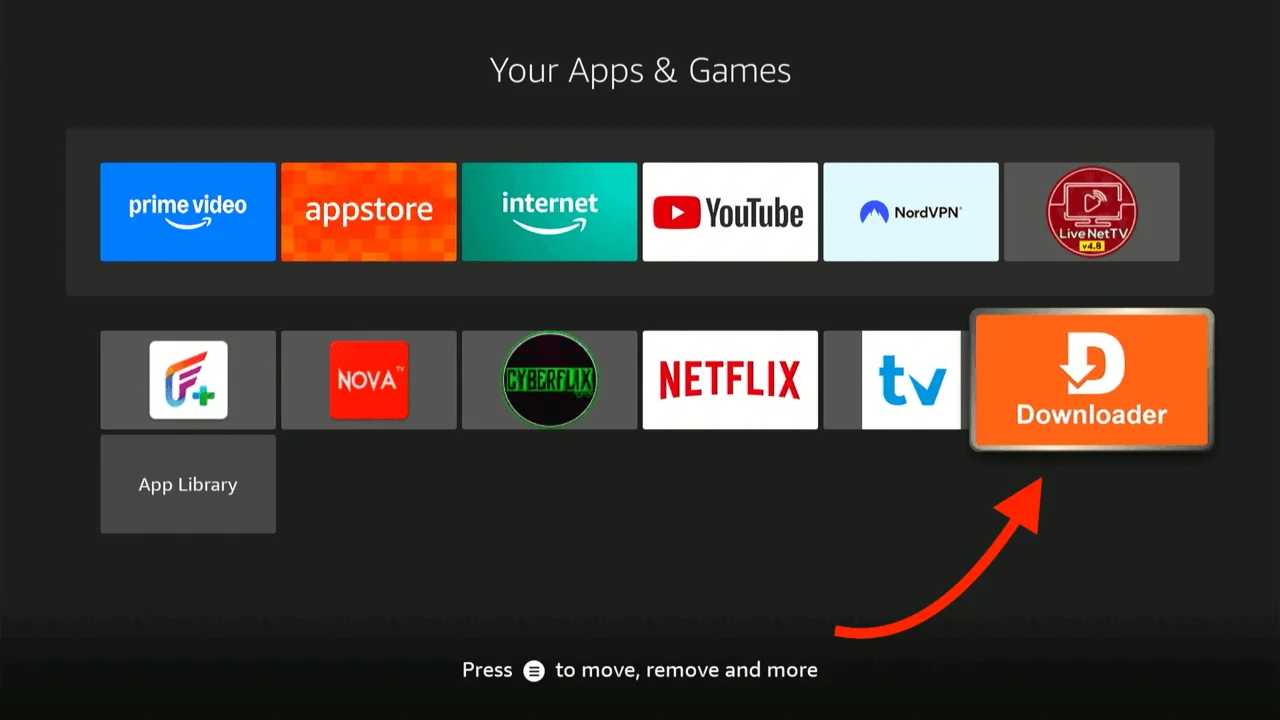
Open the Downloader app from your apps list.
-
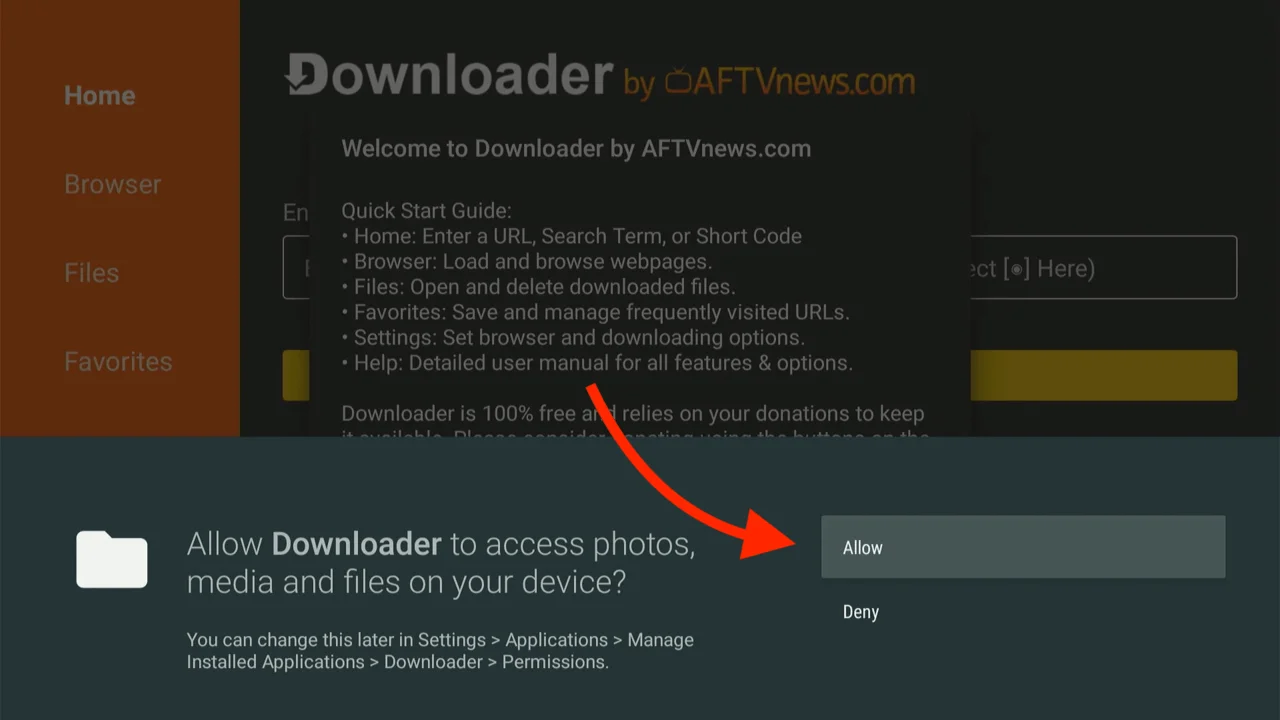
If this is your first time opening it, click Allow to grant storage permissions so it can save files.
-
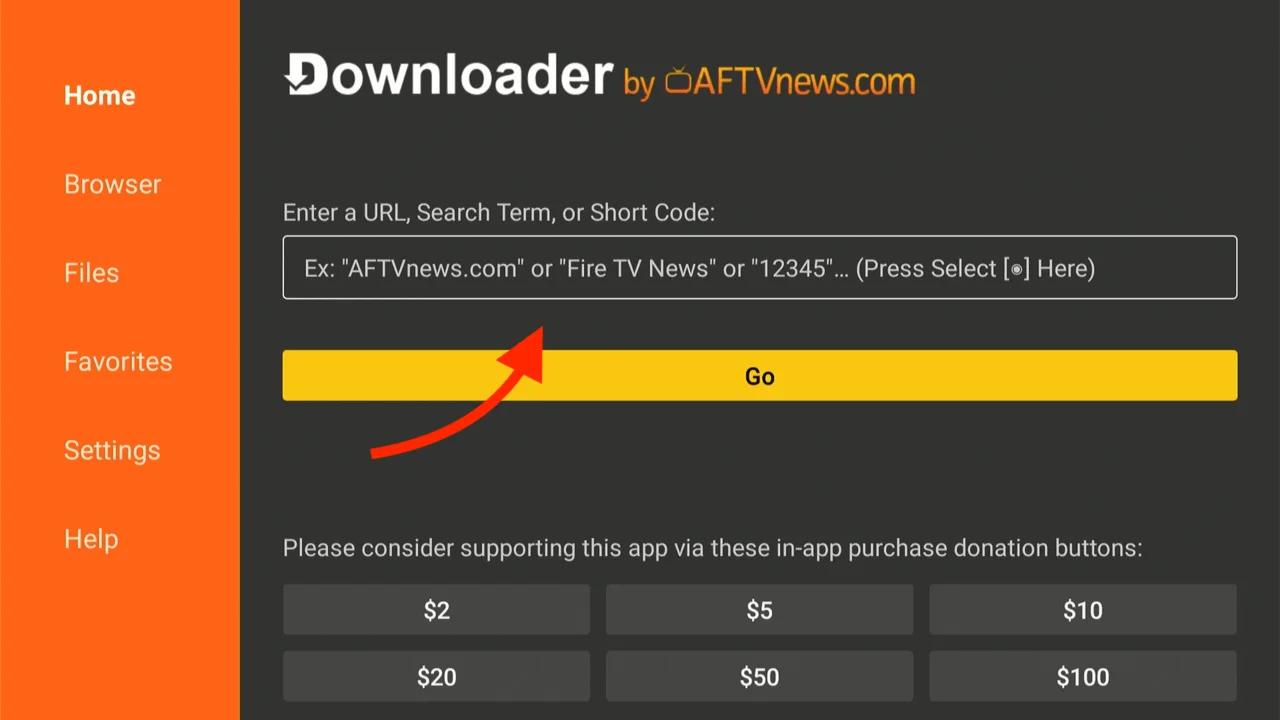
Click on the URL/Search bar in the middle of the screen where it says "http://".
-
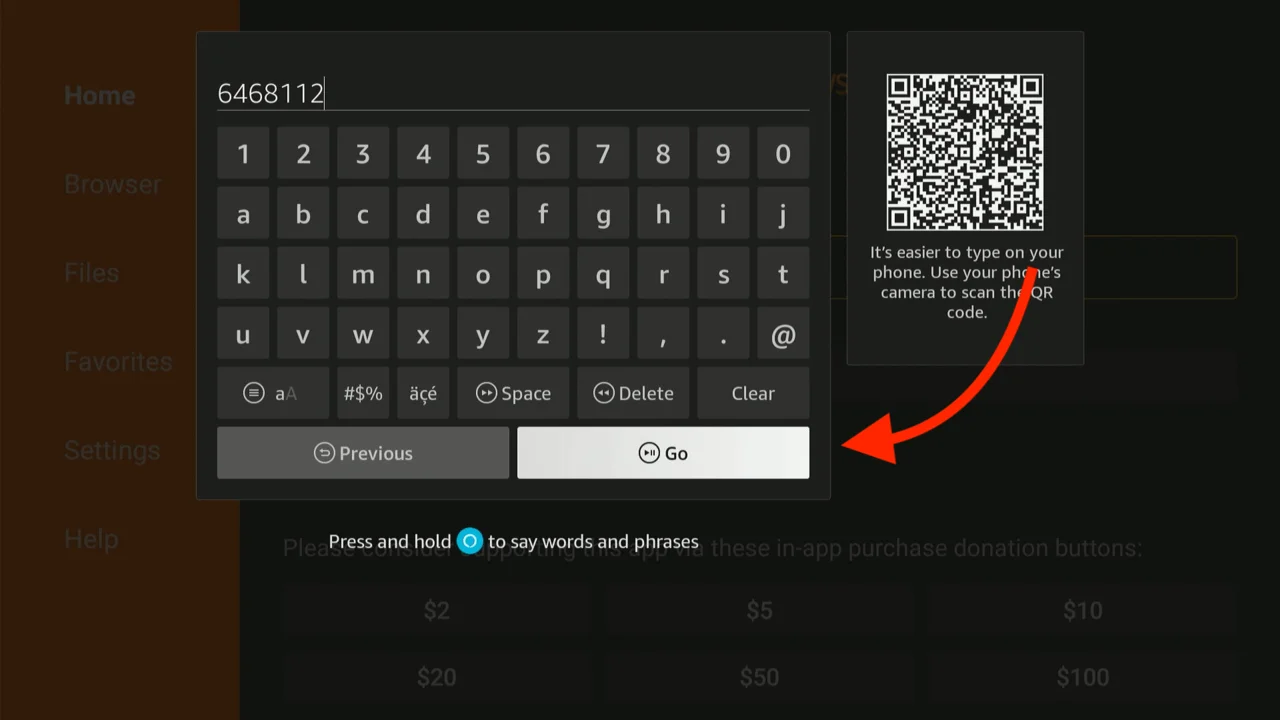
A keypad will appear. Type this exact downloader code: 6468112 and Click Go.
-
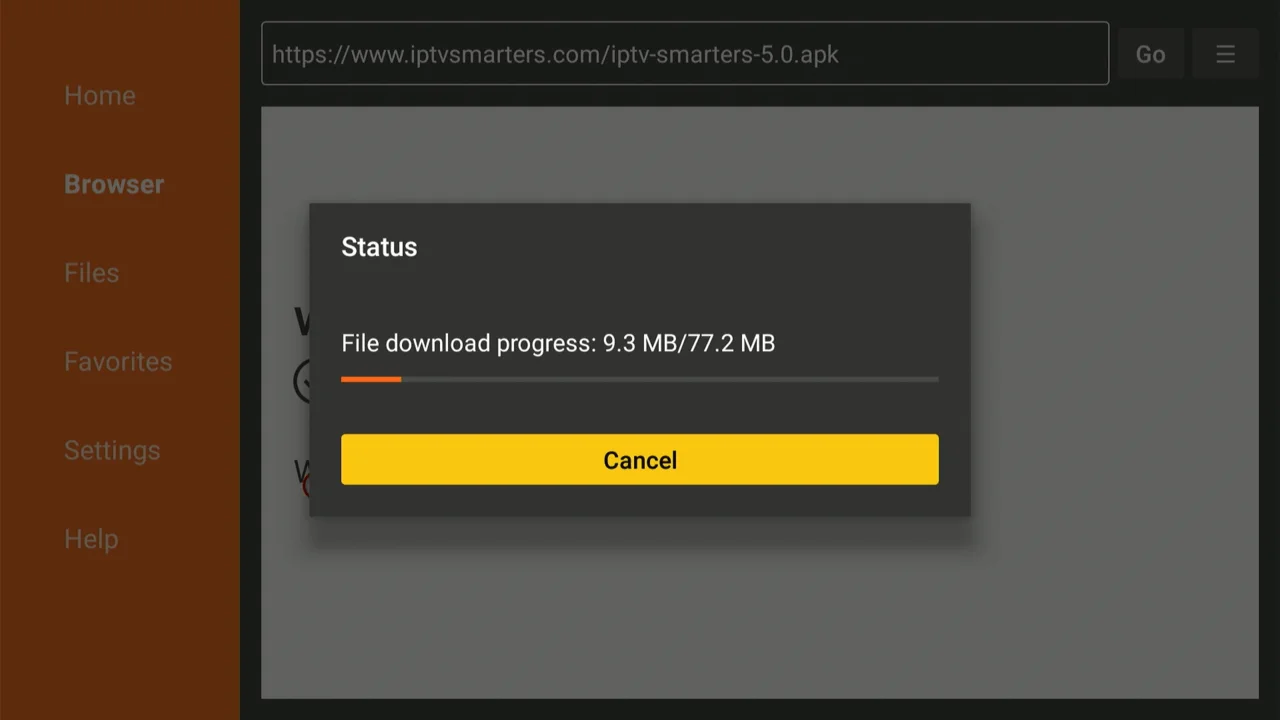
The app will verify the code, redirect you, and start downloading the APK file automatically.
-
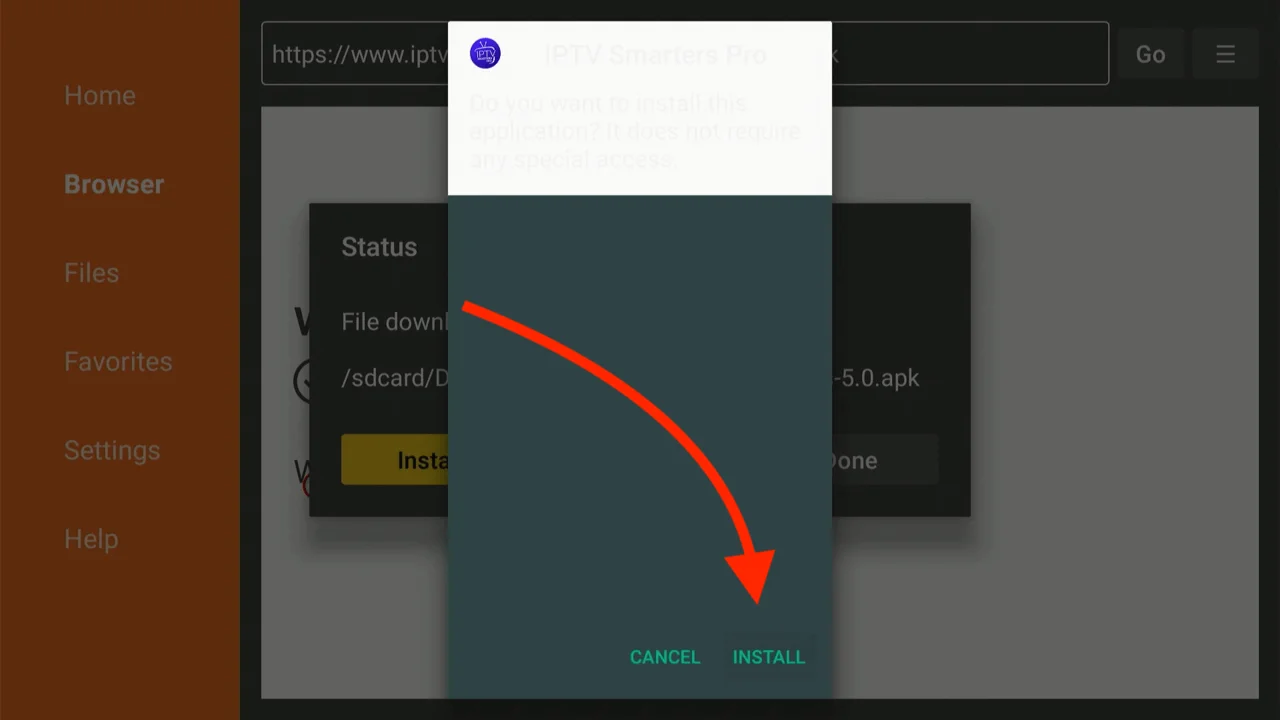
Wait for the download to finish. Once the pop-up appears, click Install.
Step 4: Login and Setup
Congratulations! The app is installed. Now let's log you in to access your premium content.
-
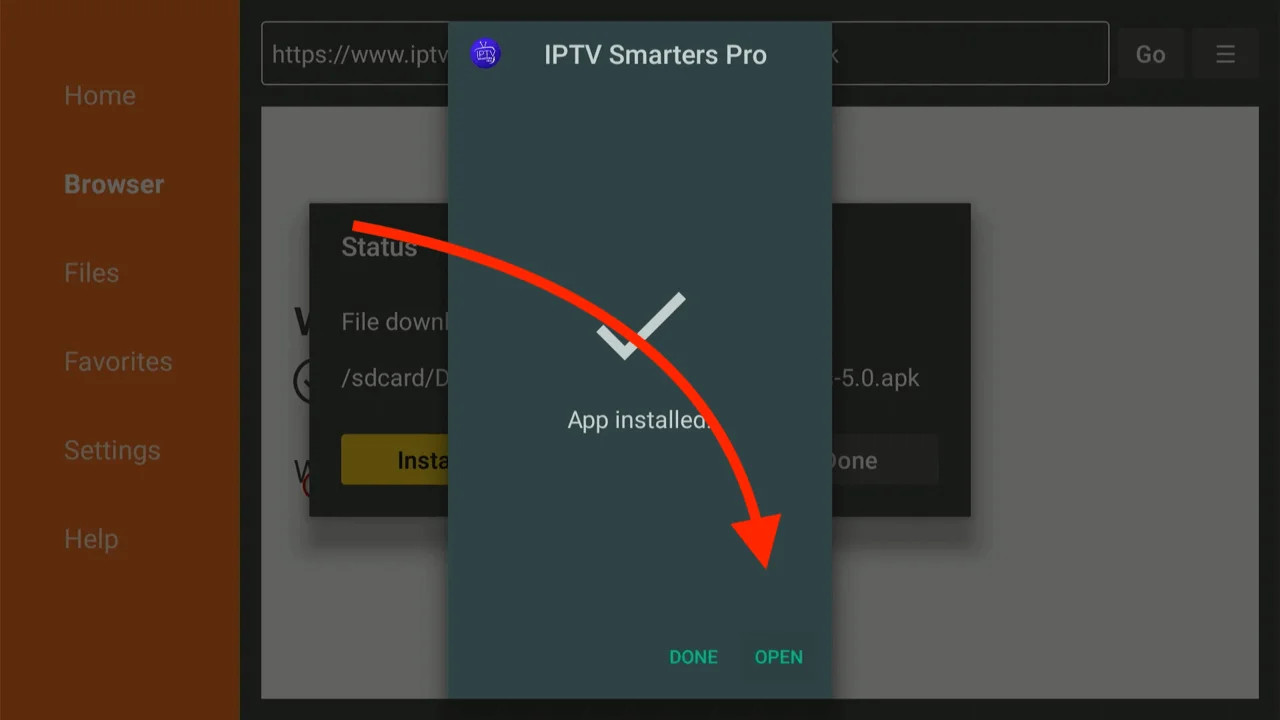
Click Open to launch the newly installed IPTV Smarters Pro (or Mint Player) app immediately.
-
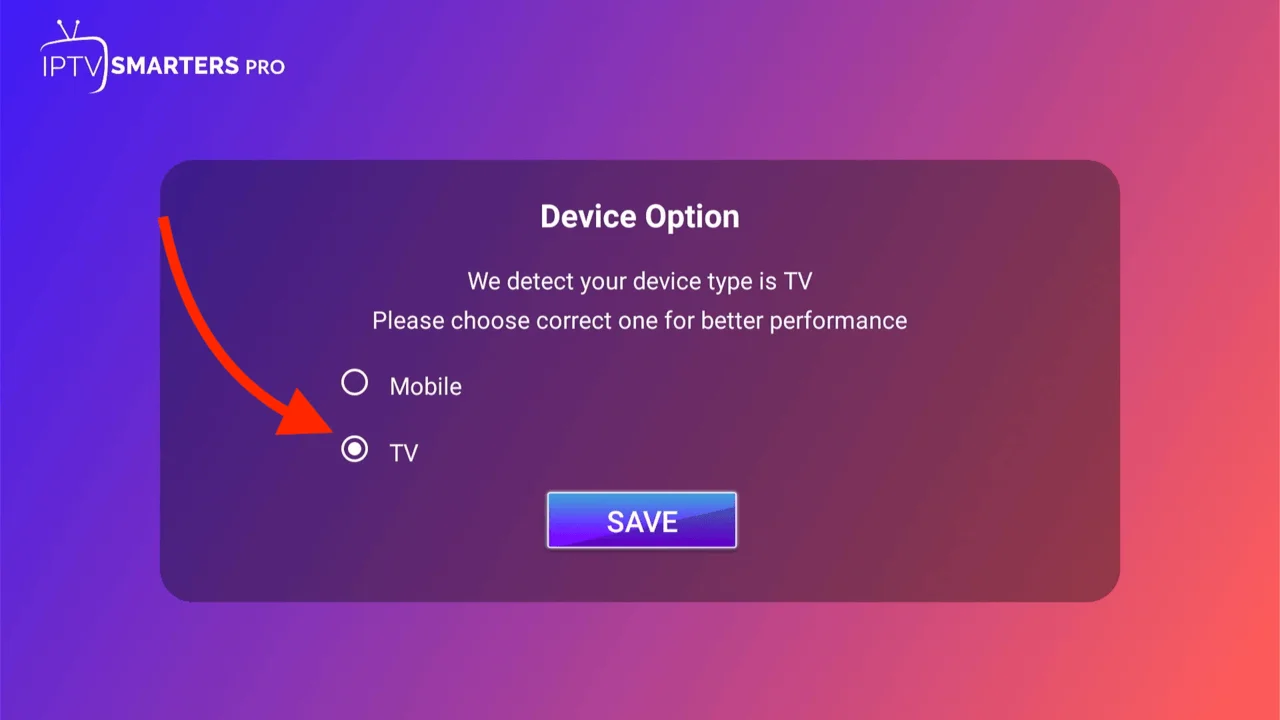
When asked to select your device type, choose TV and click Save.
-
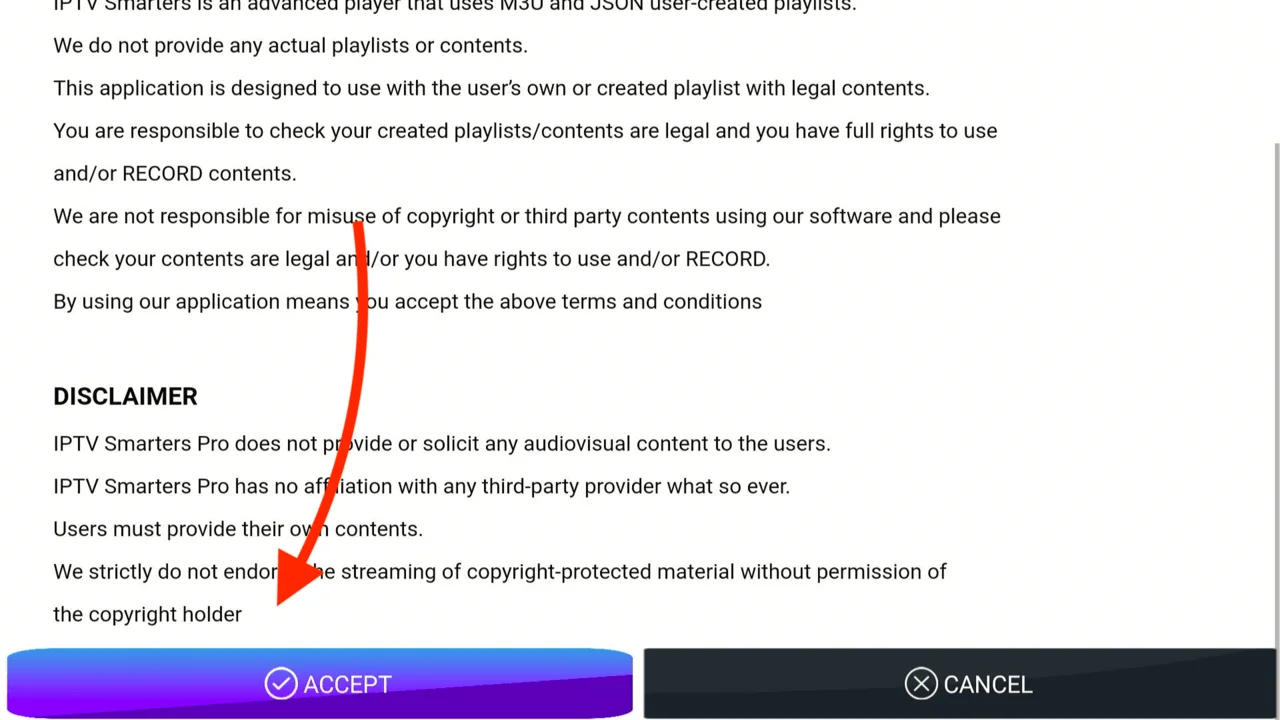
Read the Terms of Service and click Accept.
-
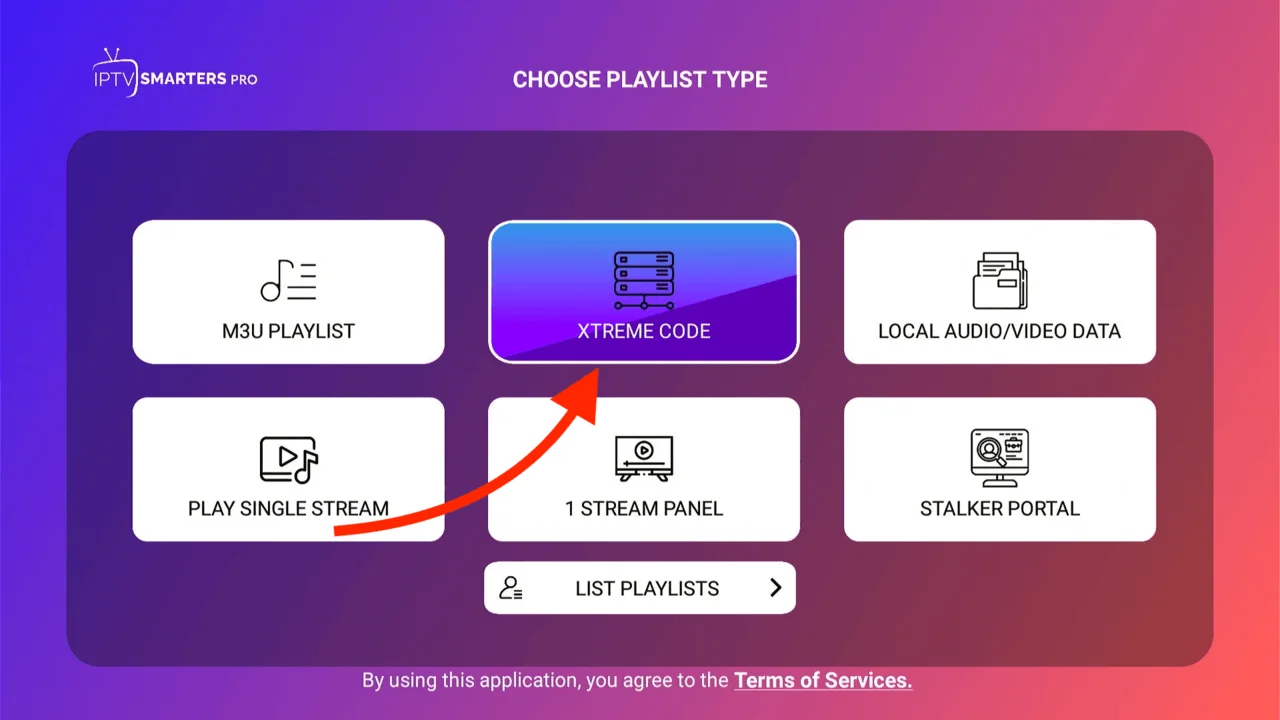
You will see a login menu. Select Login with Xtreme Codes API (This is the fastest and most stable method).
-
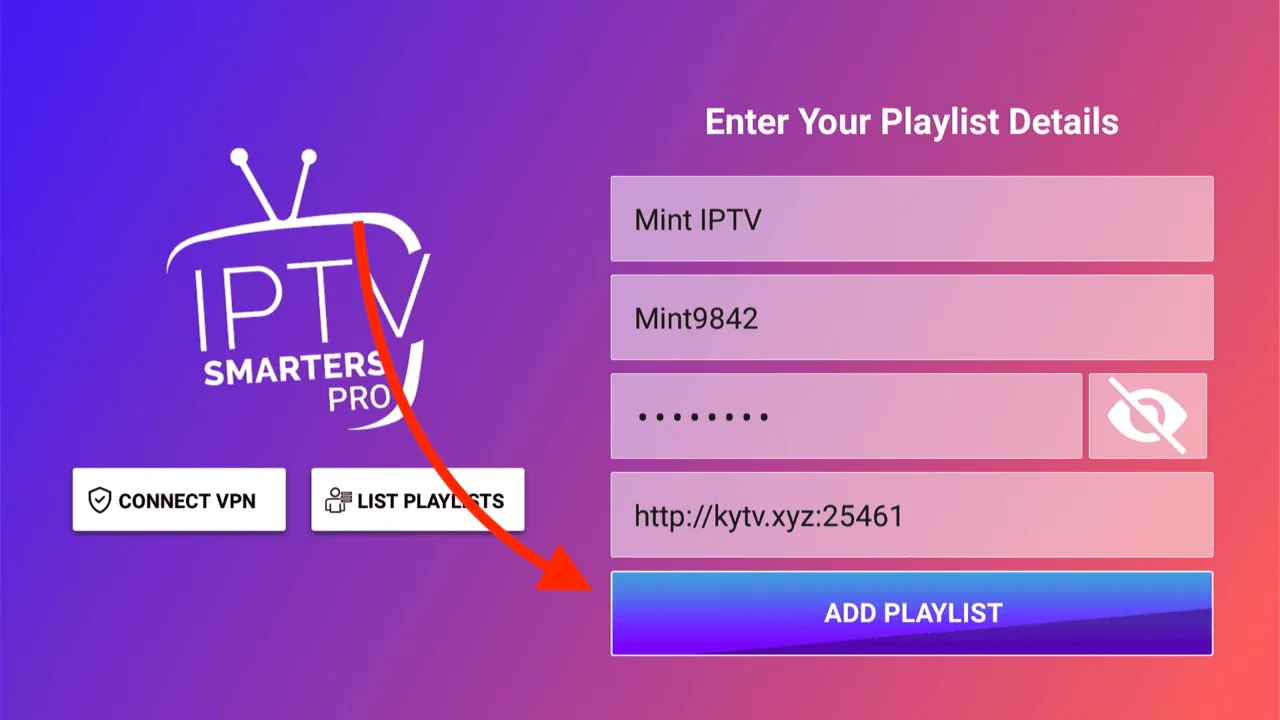
Enter the login details that Mint IPTV sent to your email address:
- Any Name: Type "Mint TV"
- Username: (Check your Welcome Email)
- Password: (Check your Welcome Email)
- URL: (Check your Welcome Email - usually http://...)
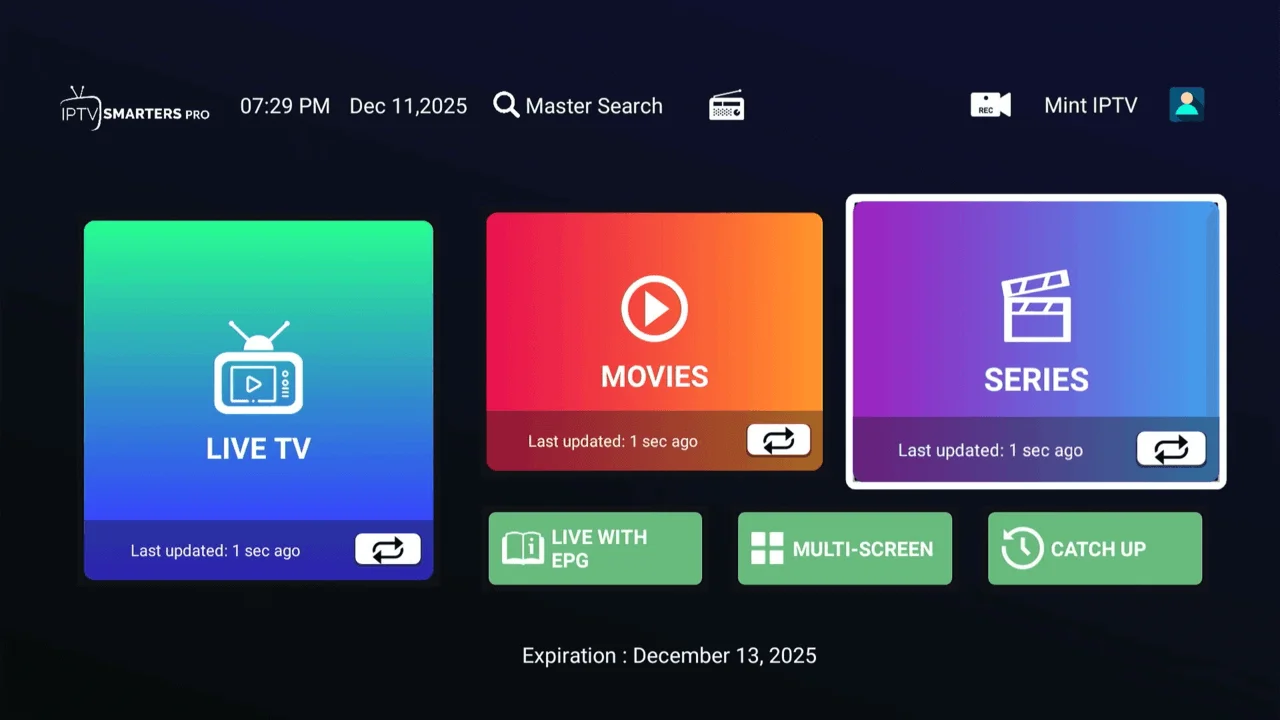
Final Step : Download PlayerList
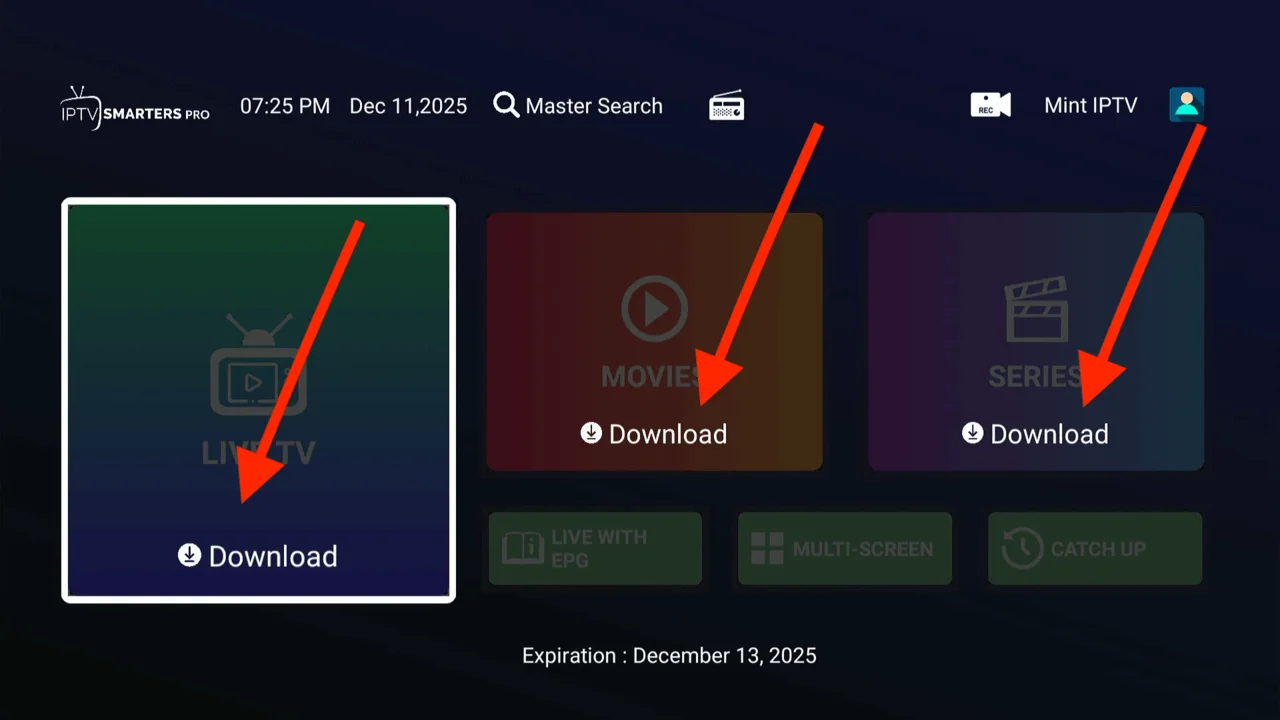
Once the setup is complete, you need to load the live TV channels, movies, and series—everything.
-
Click on Live TV Movies Series (This is the fastest and most stable method).
-
You are all set! You can now browse Live TV, Movies, and Series directly from your Firestick.
Frequently Asked Questions
Is it safe to install Mint IPTV on Firestick?
Yes, sideloading apps via the Downloader app is a standard feature of Firestick. Our application is scanned daily and is completely safe to use on your device.
Why is the Downloader app not working?
If Downloader fails to install, ensure you have sufficient storage space (delete unused apps) and that you have enabled "Install Unknown Apps" in the Developer Options as shown in Step 2.
Do I need a VPN for IPTV?
While Mint IPTV works without a VPN, we recommend using one if your internet service provider (ISP) throttles streaming connections during peak hours.
Need help? Contact us via Email, WhatsApp, or Telegram.